How to Choose the Right Head-Up Display for Your Dashboard
If you've recently purchased a new car or are looking to upgrade your current one, you may have come across the term "head-up display" or HUD for short. This once exclusive technology has become increasingly common in modern vehicles, allowing drivers to keep their eyes on the road while receiving important information in their line of sight. With so many options on the market, it can be overwhelming to choose the right HUD for your dashboard. In this article, we will discuss everything you need to know to make an informed decision and find the perfect HUD for your car.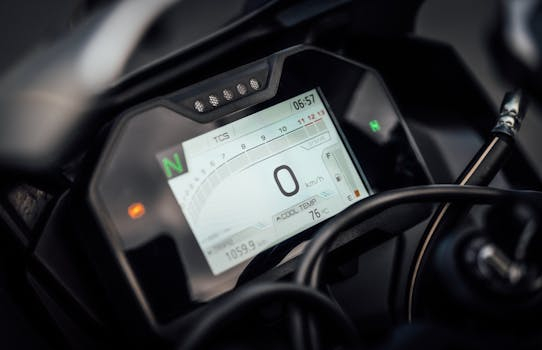
What is a Head-Up Display?
A head-up display is a transparent screen that projects information like speed, navigation directions, and other vital driving data on the windshield or a separate clear panel in your car. This technology was originally developed for fighter jets in the 1940s but has now made its way into the automotive industry. The goal behind a HUD is to reduce the time drivers spend looking away from the road by displaying important information in their line of sight. This allows for a safer and more convenient driving experience.
Factors to Consider When Choosing a Head-Up Display
1. Type of Display
There are two main types of displays available in HUDs – windshield and combiner. A windshield HUD uses a projector to display the information directly onto the windshield, whereas a combiner HUD uses a transparent panel that sits in front of the windshield and reflects the information onto it. Both have their pros and cons, and the choice ultimately depends on your personal preference and the type of car you have.
2. Display Options
HUDs come with various display options, including text, icons, and graphics. Some also have customizable options, allowing you to choose what information you want to see. When choosing a display, consider what information is most important to you while driving. If you often use navigation, a HUD with a map display might be the most useful for you. On the other hand, if you just want basic information like speed and fuel level, a simple text display might suffice.
3. Compatibility
Before purchasing a HUD, make sure it is compatible with your car. Some HUDs are made specifically for certain brands or models, while others are more universal. Reading reviews and doing some research on the compatibility of the HUD with your car can save you from wasting time and money.
4. Brightness and Visibility
The whole point of a HUD is to provide valuable information while driving without causing distraction. This means the display should be bright enough to be visible in all lighting conditions, including during the day. Some HUDs come with automatic brightness adjustment, while others have manual controls. Additionally, consider the size of the display and make sure it is not obstructing your view.
5. Installation and Setup
Sometimes, the most significant challenge with a HUD is installing and setting it up correctly. While some HUDs are relatively simple to install and can be done yourself, others may require professional installation. Also, consider the setup and user interface of the HUD. Is it easy to understand and navigate? Can you make changes and adjustments quickly while driving?
Additional Features to Look For
Some HUDs come with additional features that can enhance your driving experience, such as voice control, gesture control, and smartphone connectivity. Voice control allows you to interact with the HUD using your voice, eliminating the need to take your hands off the wheel. Gesture control allows you to navigate through the HUD by waving your hand, which can be useful for changing the display or acknowledging an incoming call. Smartphone connectivity allows you to receive notifications and playback music directly on the HUD through your phone.
Conclusion
A head-up display can be an excellent addition to your car, providing convenience and safety while driving. With the various options available, it is essential to consider your specific needs and preferences when making a purchase. Consider the type of display, display options, compatibility, brightness and visibility, and installation and setup. Additionally, look for additional features like voice control, gesture control, and smartphone connectivity to enhance your driving experience even further. By evaluating these factors, you can find the perfect head-up display for your dashboard and enjoy a safer and more convenient driving experience.